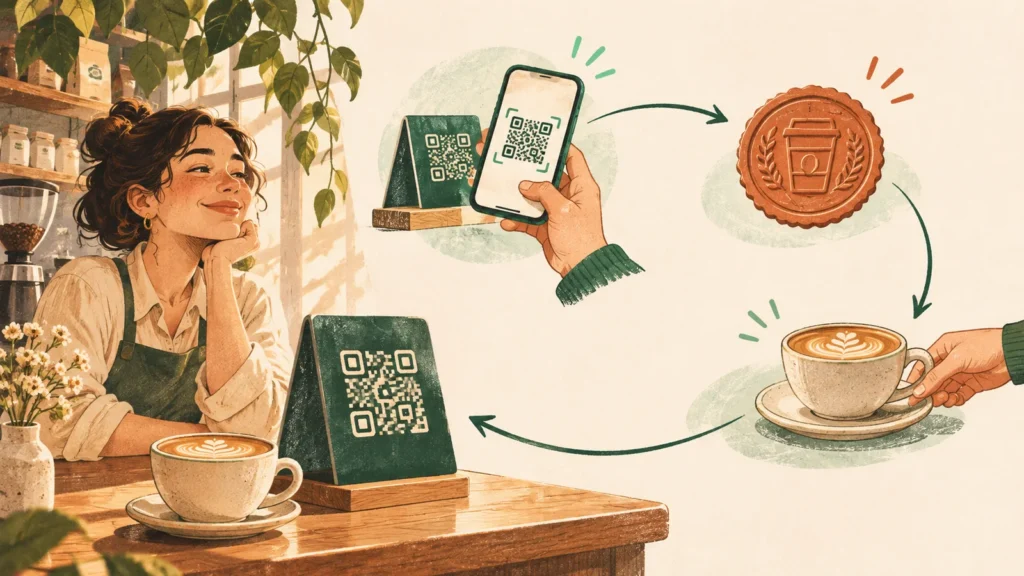
Walk into a crypto-friendly coffee shop or a pop-up booth at a Web3 conference and you will usually see the same setup: a laminated card taped beside the espresso machine with a single static wallet address QR code.
It looks like Web3 commerce until the morning rush hits.
Someone types 1.00 instead of 10.00, and the barista has to squint at the customer’s phone screen to verify the decimal. The receiving wallet belongs to the shop owner, so part-time staff either lack a clean way to confirm settled orders or end up too close to treasury credentials. Worse still, once the customer walks out with a latte, the relationship ends. Nothing in a static transfer gives them a concrete reason to pull out a crypto wallet the next time they walk past the door.
A static QR moves funds from A to B. A retail payment system handles staff boundaries, counter speed, repeat visits, and closing the books at night.
To test what a complete counter-grade loop looks like on Solana, we built a sample specialty café called Daylight Coffee on live Solana Devnet and ran the entire lifecycle end-to-end with genuine Phantom wallet confirmations—no localhost auto-confirm shortcuts, no mocked receipts. That system is Solpay (SolanaOn-chainPay).
Quick summary Retail stablecoin checkout only sticks when four pieces work together in one loop: owner-vs-cashier wallet separation, locked-price invoice QRs for busy counters, zero-prefund store credits that redeem automatically on return visits, and a
finalizedon-chain receipt ledger that exports cleanly to CSV.
Static Wallet QR vs. a Full On-Chain Retail POS
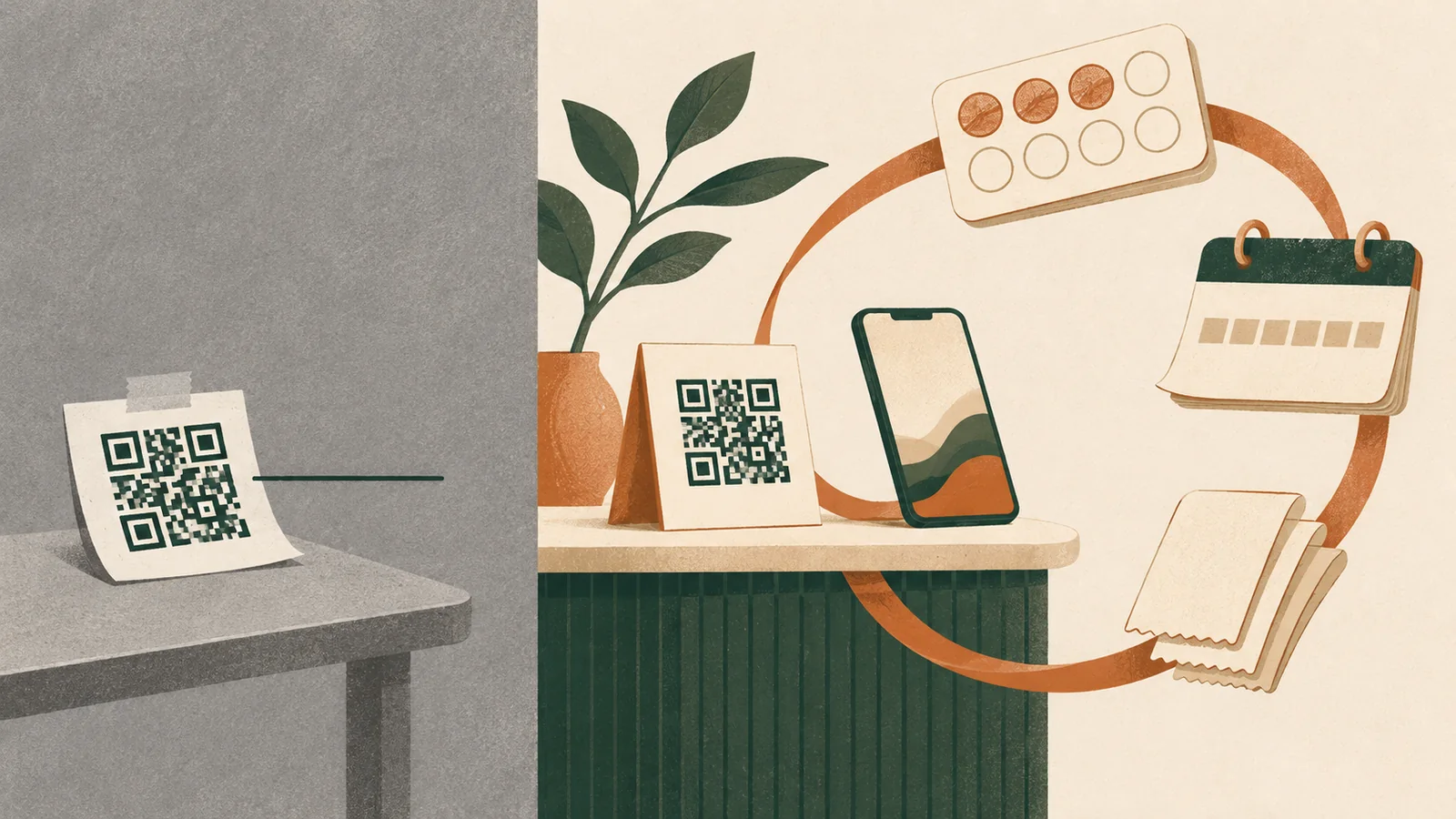
Merchants evaluating Solana USDC acceptance often ask whether a plain wallet transfer QR is “good enough” for a first rollout. Putting the two side by side across ordinary shop operations shows where the cracks open up:
| Daily Store Operation | Static Wallet QR Code | Solpay On-Chain POS & Loyalty Loop |
|---|---|---|
| Amount accuracy | Customer types the total manually; typos and old screenshots are common | Cashier signs a 15-minute locked invoice QR (10.000000 USDC); regulars can also use a permanent counter QR |
| Staff permissions | Staff either check public explorers manually or share overly broad access | Dedicated cashier wallet can only create invoices; revoking access permanently invalidates unpaid invoices while leaving paid receipts intact |
| Repeat-visit incentive | None built in; customer pays once and leaves | Zero-prefund loyalty rules live on-chain; customers earn store credit in the same payment transaction |
| Coupon redemption UX | Manual coupon codes or extra wallet popups that stall the line | Single atomic Solana transaction settles net USDC, redeems the earliest-expiring credit, and issues a fresh reward |
| Mobile checkout flow | Drops the shopper straight into a raw transfer prompt | Mobile-responsive page shows the store credit offer before wallet connection |
| End-of-day bookkeeping | Exporting raw block-explorer hashes with no discount context | Reconciles 100% of finalized receipts with gross sales, credits redeemed, and net cash in one CSV export |
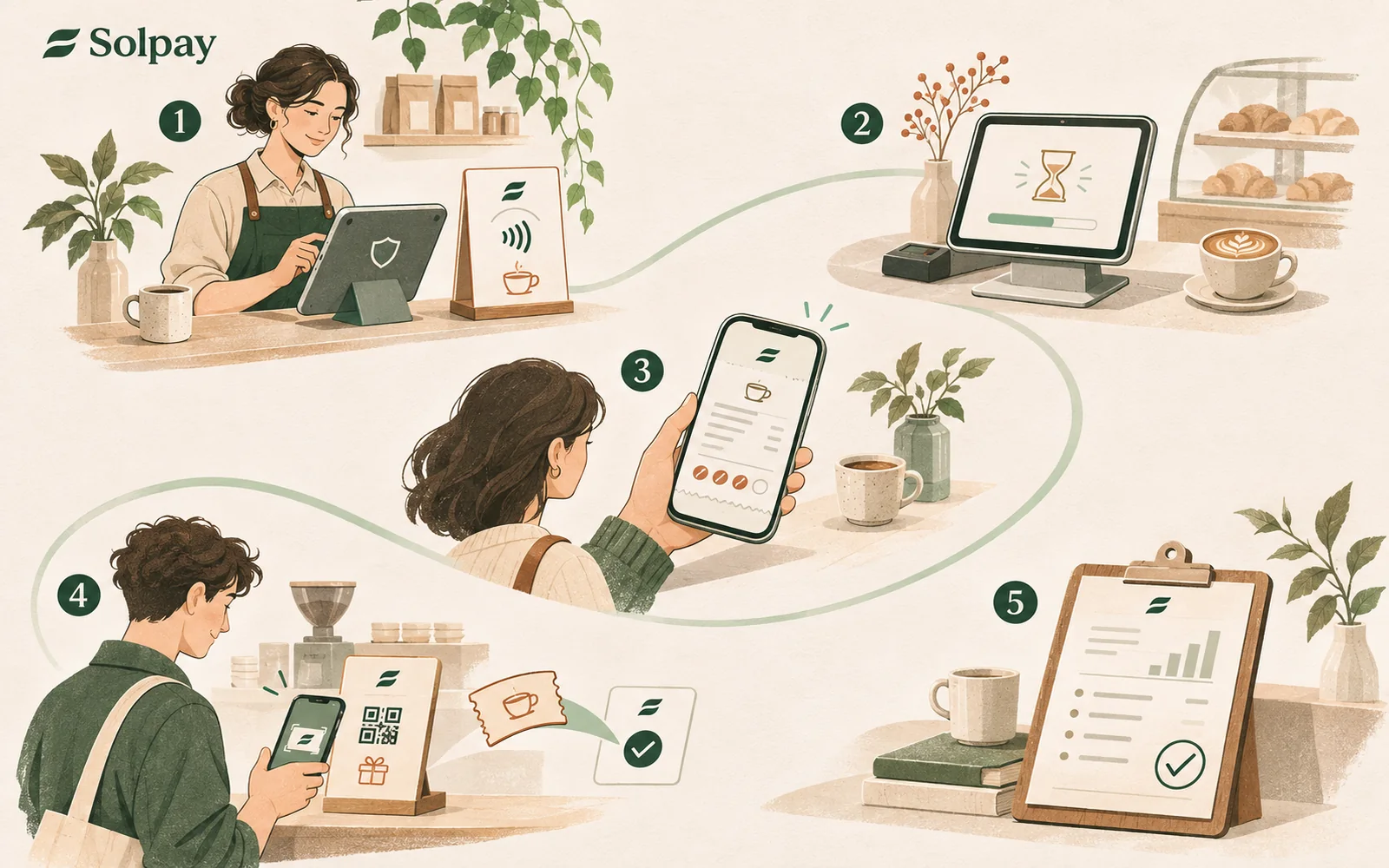
Walking Through Five Real Counter Actions on Solana Devnet
Every address, receipt, and number below comes directly from our November 19, 2026 capture on Solana Devnet (Program F9wYEzU8wVYnhMoaJA9MgspdsAhbKnZhgvFnqv9fDuHr), using a 6-decimal SPL test token (HV47hw3i...KME7) as demo USDC and ordinary English Phantom confirmations throughout.
Act 1: Store registration, cashier isolation, and a zero-prefund offer
The shop owner (93Hr...GRsL) registers Daylight Coffee on-chain (D2zFrU...v6iT) and opens the Staff tab to authorize a separate cashier wallet (9kYp...PH2H).
That boundary is deliberately narrow. The cashier can open the checkout desk and generate fixed-amount invoices, nothing else. They cannot move store funds, edit campaign terms, or touch historical receipts. If an employee leaves mid-week and the owner revokes that address, any unpaid invoices that cashier created become permanently unpayable, while already-settled orders stay untouched.
Next, the owner configures a fixed-reward campaign (7chnrv...GG2f):
- Minimum qualifying purchase:
1 USDC - Reward:
1 USDCstore credit at100%probability, capped at1 USDCper payment - Expiration:
7 daysfrom issuance - Lifetime campaign issuance cap:
100 USDC
One detail matters more to retail operators than almost any cryptographic feature: zero upfront deposit. Setting a 100 USDC lifetime cap does not require locking 100 USDC into a smart contract vault ahead of time. Once published and activated via Phantom, the reward table is immutable on-chain, and Solpay exports a print-ready 1440×1920 permanent counter QR poster (available in Forest, Ocean, Clay, and Ink themes).
Act 2: Locking a 10 USDC invoice at the counter
Switching to the authorized cashier wallet (9kYp...PH2H), the clerk enters 10 USDC on the checkout desk, confirms in Phantom, and gets a fixed-amount invoice QR (CtdGDB...Eciq) locked on-chain for 15 minutes (in our run, created at 15:05:21Z, expiring at 15:20:21Z).
Locking the price on-chain removes the two most common counter disputes: underpayments from mistyped decimals and customers accidentally rescanning a stale screen from an earlier order.
Act 3: First visit — preview the offer, pay 10 USDC, earn 1 USDC atomically
The customer (94V4...PdUN) scans the fixed invoice QR. Before they even click Connect Wallet, the checkout page displays a clear green card across desktop (1600×1000) and mobile (390×844): pay this order and earn 1 USDC in Daylight Coffee store credit.
After connecting Phantom, the preview lays out the locked 10 USDC total, the 1 USDC reward, and the estimated Solana network fee (under 0.00001 SOL). One confirmation settles the invoice (signature 47sU23...ARSr, receipt Bctnij...Znd4). On the exact same finalized transaction, the 1 USDC credit appears in the customer’s My Store Credits view with its precise seven-day expiration timestamp (2026-11-26T15:06:32.000Z).
Act 4: The return visit — scan the permanent poster, auto-redeem, pay 9 USDC
Loyalty programs die when redemption takes effort. If a customer has to dig through emails or paste a promo code while holding a coffee tray, they skip it.
In Act 4, the same customer walks back into Daylight Coffee, scans the permanent counter poster (/m/D2zFrU...v6iT), and enters 10 USDC. Solpay detects the wallet’s active Daylight Coffee credit and automatically applies the earliest-expiring lot (FIFO)—dropping the payable total live on screen:
- Sale amount:
10 USDC - Store credits applied:
-1 USDC(from receiptBctnij...Znd4) - You pay:
9 USDC
One Phantom click (signature 51z13n...krBo, receipt 64sFEr...2rvJ) executes three state transitions atomically: transfers 9 USDC to the store, burns the first 1 USDC credit down to 0, and issues a fresh 1 USDC reward expiring seven days later (2026-11-26T15:07:43.000Z). The customer pays less and leaves with another reason to come back next week.
Act 5: Closing the books with 2/2 reconciliation and CSV export
At the end of the day, the owner opens Orders and loads all finalized store payments. The dashboard reports 2 / 2 · Complete coverage reconciled:
- Total payments:
2(1fixed invoice +1permanent store QR) - Gross sales:
20.000000 USDC - Credits redeemed:
1.000000 USDC - Net cash collected:
19.000000 USDC
One click downloads store-payments-D2zFrUbV.csv, where every row lines up source type, UTC timestamp, receipt ID, payer address, gross amount, discount, net cash, and finality status. Over in Campaign Metrics, retention is verifiable without guesswork: 2 USDC issued, 1 USDC redeemed (50% redemption rate by face value), 1 repeat paying wallet, and 0 unsettled receipts.
Where Solpay Fits — and How It Connects to the Rest of Your Solana Stack
Not every business needs an in-person POS. If you only sell digital subscriptions online, a multi-chain checkout gateway is usually a better fit. Where Solpay earns its keep is in physical or hybrid commerce:
- Crypto-friendly cafés, specialty retail, and conference pop-ups looking to accept USDC with sub-cent network fees while turning first-time scanners into repeat visitors.
- Regional crypto payment providers and B2B agencies that want to launch a branded Solana POS product quickly through source-code licensing or white-label deployment instead of spending months debugging on-chain accounting from scratch.
- Solana communities and token teams running merch booths or local partner networks. If your team also handles SPL / Token-2022 launches, CSV batch distributions, or ATA/PDA inspection, you can try our companion Solana Tools live demo at sol.fone.cc or explore Solana Tools source licensing.
If you are an engineer who wants to see how Anchor accounts, PDAs, and SPL transfers hold together under the hood, start with our Solana Anchor Practical Guide. If you are evaluating white-label deployment or source licensing for a retail payment rollout, head to the Solpay product page.
Frequently Asked Questions (FAQ)
Does a merchant have to prefund a smart contract with USDC to run Solpay loyalty campaigns?
No. Solpay uses a zero-prefund store-credit model. Merchants define an immutable lifetime issuance cap (such as 100 USDC) and expiration window on-chain with zero upfront deposit. The discount only occurs when a returning customer actually redeems credit against a new purchase.
Can an authorized cashier withdraw store revenue or alter loyalty rules?
No. Owner and cashier roles are separated on-chain. Cashiers can only generate fixed-amount checkout invoices. If the owner revokes a cashier’s wallet, any unpaid invoices created by that cashier become permanently invalid while previously settled receipts remain intact.
How many wallet confirmations does a returning customer need to pay and redeem credit?
One. Paying the net USDC balance, redeeming the earliest-expiring store credit, and issuing a fresh reward all execute inside a single atomic Solana transaction with network fees under 0.00001 SOL.
When should a store use the permanent counter QR versus the 15-minute locked invoice QR?
Use the 15-minute locked invoice QR during peak hours, for first-time customers, or for multi-item baskets where manual amount entry invites mistakes. Use the permanent counter QR for regulars buying standard items or quick self-service checkouts—both paths automatically detect and apply eligible store credits.